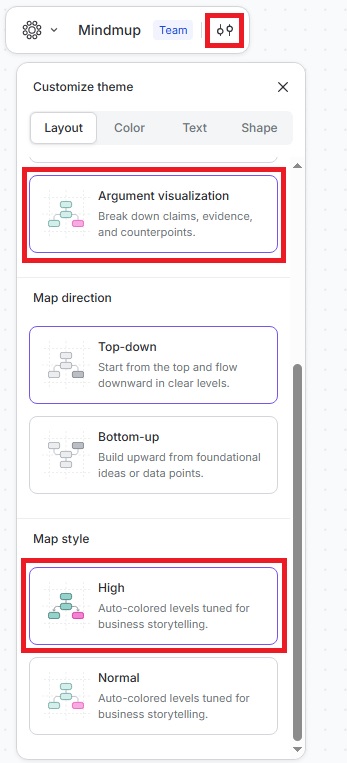
High Impact Argument Visualization in Mindmup
You can now use the High Impact argument visualization theme in Mindmup to make your maps clearer and more accessible.
The High Impact theme improves the distinction between claims and objections by using color-coded connections: green for supporting reasons and red for objections. Square-angle overlines highlight objections, making it easier for all users—including those with color vision differences—to follow the structure of your arguments.
With color-coded arrows pointing from claims to supporting reasons or objections, this theme makes argument visualizations intuitive, even for users new to argument mapping.
To apply the theme:
- Click the Customize theme icon.
- Go to Layout › Argument Visualization › Map Style › High.
To revert to the standard theme, return to the same menu and select the standard option.