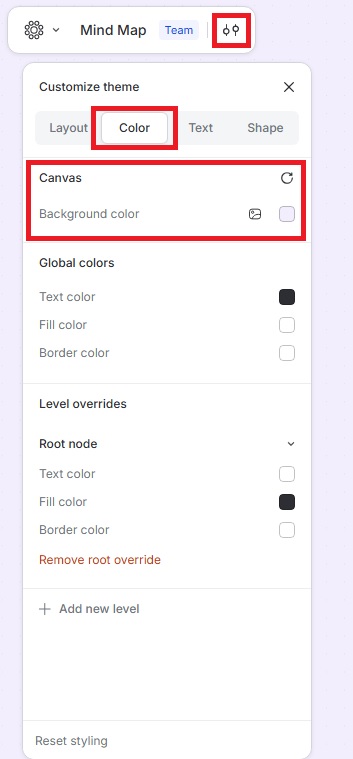
Change the Background Color
You can now customize the background color of your map to improve contrast, match your theme, or reduce eye strain during late-night work.
A new feature also lets you upload a photo as your map background, so your maps can really stand out.
Change the Background Color
- Click the Customize theme icon in the top-left menu.
- Go to Color › Canvas Background color.
- Choose a color from the available options or upload a photo to use as the background.
The selected color or photo will be applied to your map immediately.