Adjusting Connector Lines in Mindmup
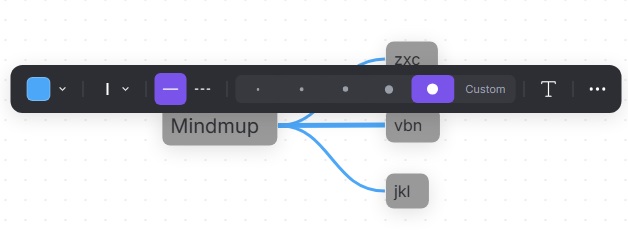
You can now customize connector lines to visually indicate the importance or strength of relationships between nodes in a mind map.
To adjust a connector line between two nodes:
- Click the line you want to modify. A small popup menu will appear.
- From here, you can:
- Select a connector color
- Choose from five standard line thicknesses or use the Custom option to set a precise size
- Change the connector line style
- Add a connection label to describe the relationship between nodes