Adjust Node Corner Radius
You can change the corner radius of your nodes to make different types of information visually distinct. For example, use square corners for decisions and rounded corners for ideas or supporting details.
The available corner radius options are: Small, Medium, Large, Round, or Custom.
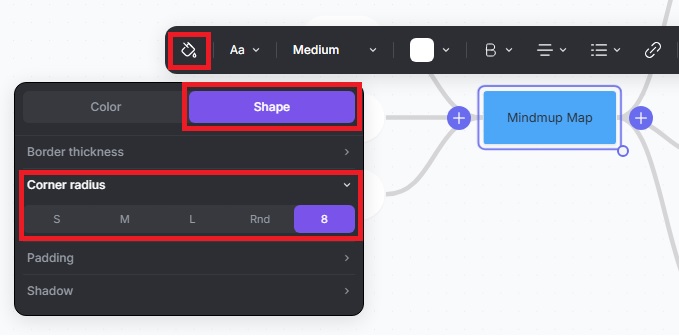
Change the Corner Radius for a Single Node
- Click the node you want to adjust.
- Click the Paint icon in the toolbar.
- Go to Shape › Corner radius.
- Select one of the corner radius options above.
The selected corner radius will be applied to the active node.
Change the Corner Radius for the Whole Map
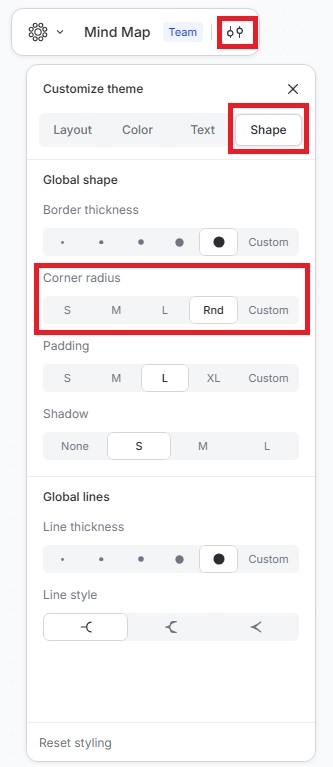
- Click the Customize theme icon in the top-left menu.
- Go to Shape › Corner radius.
- Select one of the corner radius options above.
The selected corner radius will be applied to the entire map.