Improved Map History View
Reviewing changes, spotting important events, and restoring a map to an earlier state is now simpler and faster in Mindmup.
To keep the history view easy to scan, less important actions—such as folding and unfolding sub-trees—are hidden from the main list. This helps reduce noise and makes it easier to focus on meaningful changes.
Viewing version history
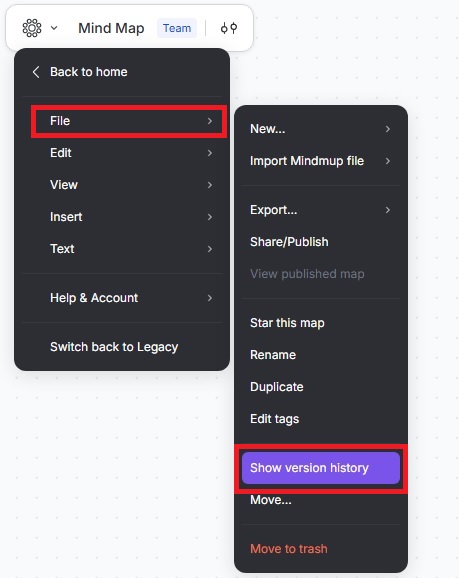
To open the version history for a map, click the Mindmup icon › File › Show Version History.
How events are shown
- All events are shown in the version history.
- The right-hand detailed list makes it easier to focus on key updates without losing access to full history.
This setup helps you quickly find important changes while keeping the complete version history available.