Change the Font for the Entire Map in Mindmup
You can change the font for your entire map and automatically apply it to all newly created nodes. This helps keep your map consistent and easier to read.
Update the Global Font
To change the font across the whole map:
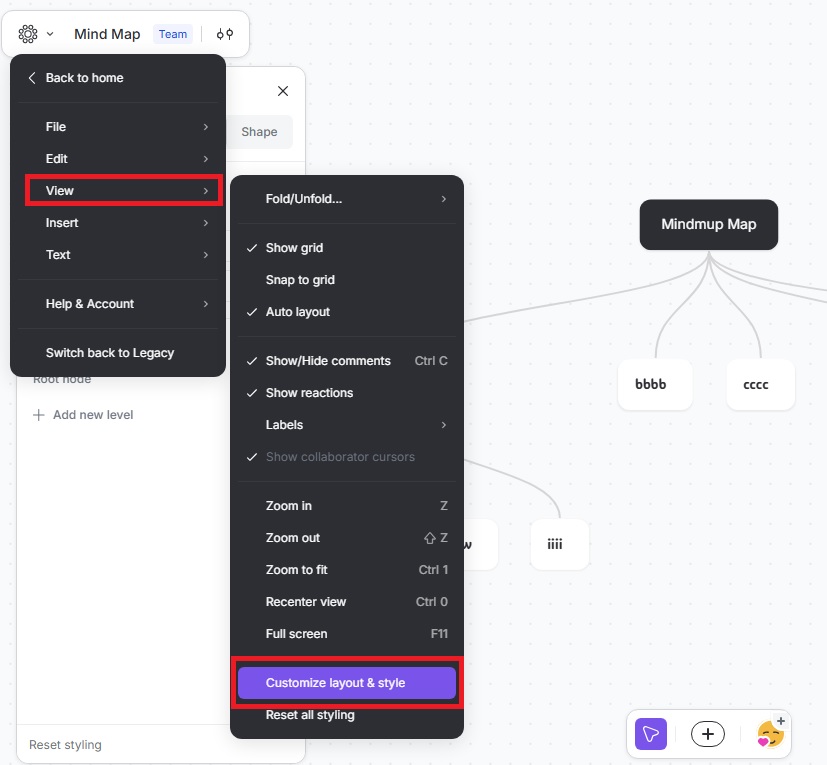
- Click the Mindmup icon in the top-right corner of your map
- Go to View › Customize Layout & Style
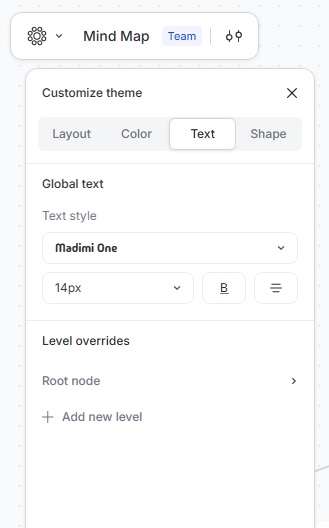
- Click Text
- Choose your preferred text font style and size.
The selected font is applied to all existing nodes and will be used for any new nodes you add.
Keep Your Map Consistent
Using a single global font makes your map feel more structured and professional, especially when sharing or presenting your work.