Creating org charts and vertical maps in Mindmup
You can easily create organizational charts and genealogical trees in Mindmup using the vertical map layout.
This layout is designed to fit more information into a smaller space, making it ideal for org charts, family trees, small screens, and printed maps.
How to switch to an org chart layout
You can enable the org chart layout in either of these ways:
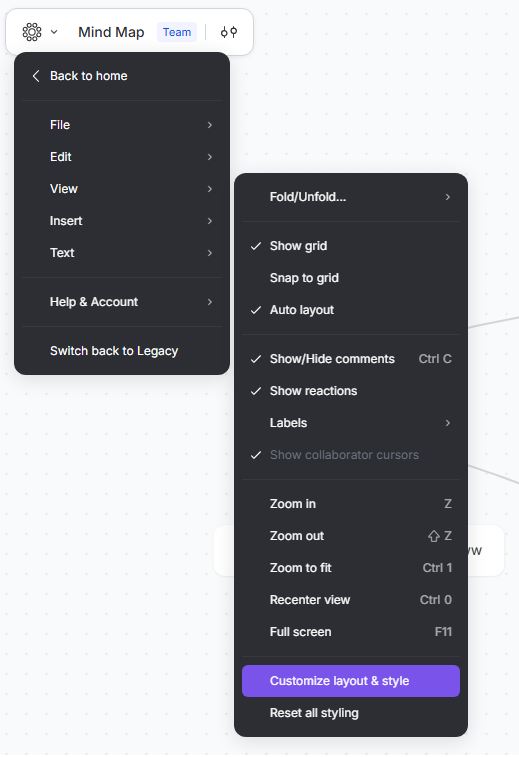
- Go to View › Customize layout & style › Org Chart
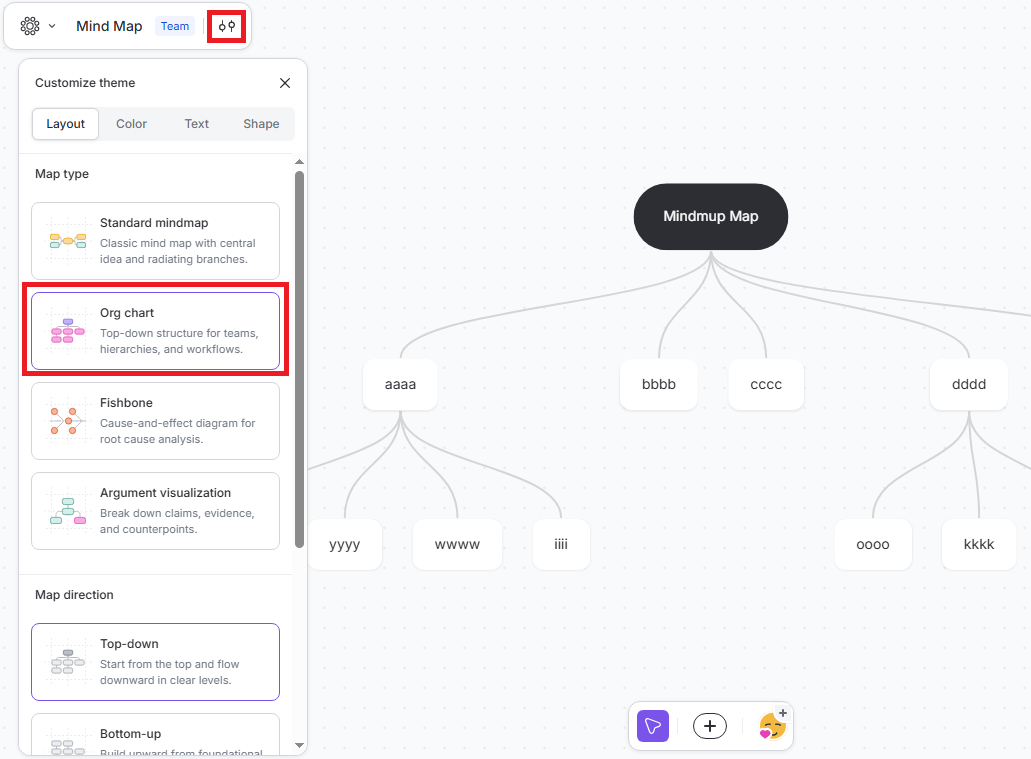
- Or click the Customize theme icon in the top-left corner of your map, then select Org Chart
Customize the layout
Once the org chart layout is enabled, you can fine-tune how your map looks:
Choose the map direction:
- Top-down
- Bottom-up
Choose the map style:
- Bubbles
- Simple
These options help you adapt the map to your content, screen size, or printing needs.
Learn more
For additional tips on working with vertical maps, see the Saving space with vertical maps tutorial.