Use the Productive Theme for Large Maps
Mindmup makes it easier to work with large, complex maps using the Productive theme. This layout helps you fit more information on a single screen, clearly distinguish levels and branches, and keep context even when the center of the map is off screen.
It’s a simple way to make dense maps easier to read and manage—especially when you’re working with lots of ideas at once.
How to activate the Productive theme
You can switch to the Productive theme in just a few clicks:
- Click the Customize theme icon
- Go to Layout
- Select Standard mindmup
- Choose Productive
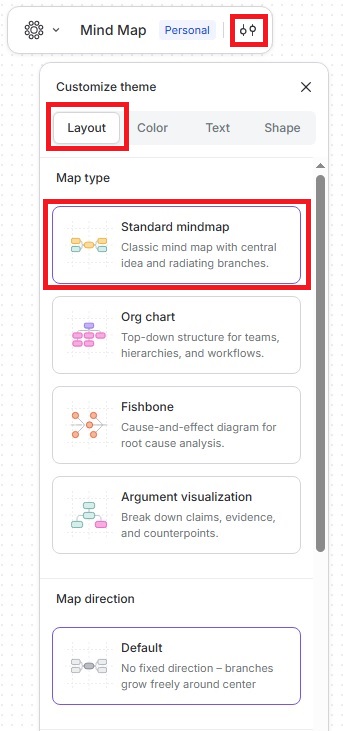
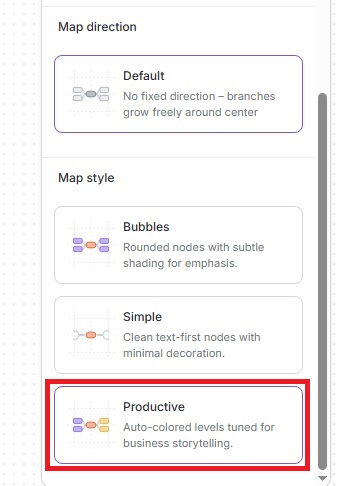
The change applies instantly, so you can see how your map adapts right away.
Share your feedback
We’d love to hear how the Productive theme works for you and what else could make your mapping more efficient. Join the conversation in the Mindmup discussion group or reach out to us at contact@mindmup.com.