Sticky Notes in Argument Visualizations
Mindmup now supports Sticky Notes in argument visualizations, making it easy to add comments, explanations, or suggestions that stand out from the main argument tree.
Sticky notes let authors clarify the structure of their map or provide meta-comments for readers without interrupting the flow of the central argument. Teachers can use them to give feedback, suggest improvements, or request further clarification.
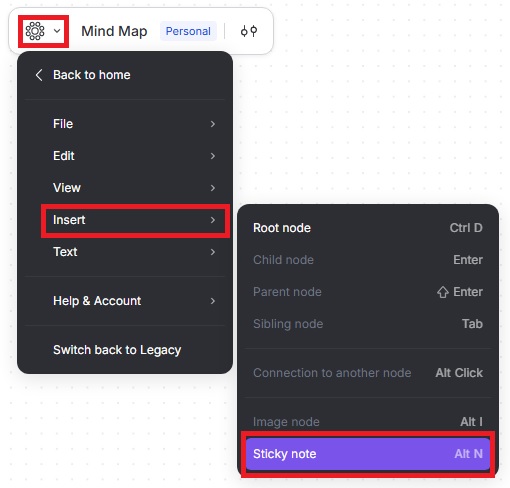
How to add a sticky note
- Press Alt+N (Windows) or Option+N (Mac).
- Click the Sticky Note icon from the quick menu.

- Or click the Mindmup icon, then go to Insert › Sticky Note.