Unfold all nodes in a map
You can quickly show all hidden nodes in large maps using the Unfold all nodes option. This is the reverse of folding nodes and automatically opens every collapsed node in the map.
Unfolding all nodes is especially useful when you’ve been working with hidden sections and want to see the full structure of the map again during a discussion or review.
Unfold all nodes
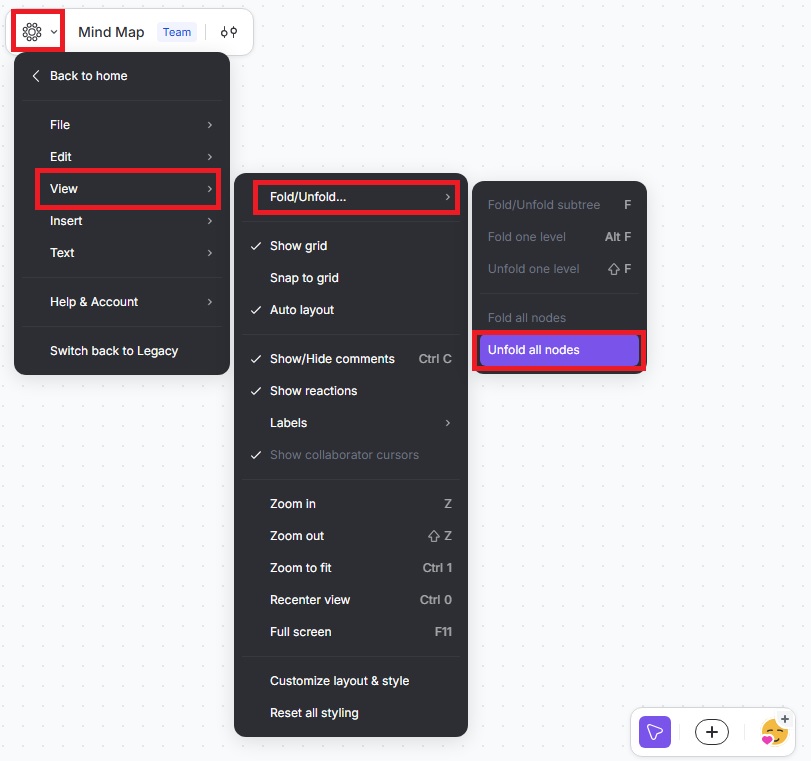
- Click the Mindmup icon in the top-left menu.
- Go to View › Fold/Unfold › Unfold all nodes.
If you have questions or feedback, contact us at contact@mindmup.com.