View Published Maps More Easily
If you publish maps regularly, Mindmup makes it easier to jump straight to the published version of a map.
View a published map
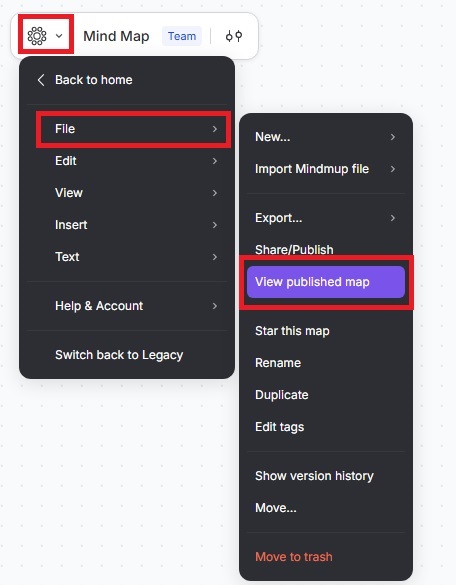
To open the published version of your map, click the Mindmup icon › File › View published map. This takes you directly to the published copy on Mindmup Atlas.
From the Share/Publish dialog
You can also access the published map from the Share/Publish dialog:
- Click the Mindmup icon › File › Share/Publish › Publish › View published.
- If the map has already been published, you’ll see an option to view the published map directly from the dialog.
Availability
This feature is available on Mindmup paid plans. It is not available for Starter or anonymous users, so the related buttons won’t appear for those maps.
Because anonymous publishing doesn’t track map ownership, there’s no way to identify or link published maps back to their creators in those cases.