Restricting Sharing for Organization Accounts
Organization administrators can control how and where team members share Mindmup maps.
Configuring Privacy Settings
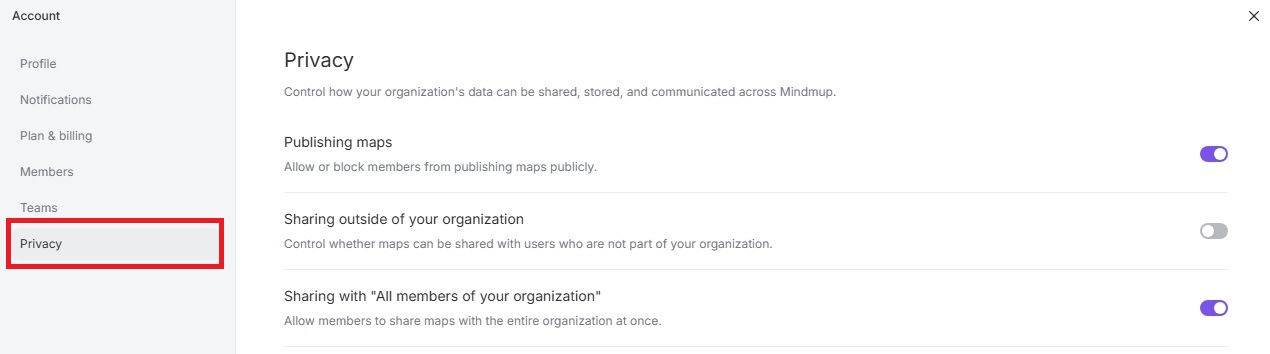
- Open your Account page and select Privacy.
- From here, you can manage the following options:
Publishing Maps
- Toggle Publishing maps to allow or block members from creating publicly viewable maps.
Sharing Outside Your Organization
- Toggle Sharing outside of your organization to control whether maps can be shared with users who are not part of your organization.
Sharing with All Members of Your Organization
- Toggle Sharing with "All members of your organization" to allow members to share maps with everyone in the organization at once.
These settings help ensure that maps stay secure and are shared only according to your organization’s policies.