Using Labels in Mindmup
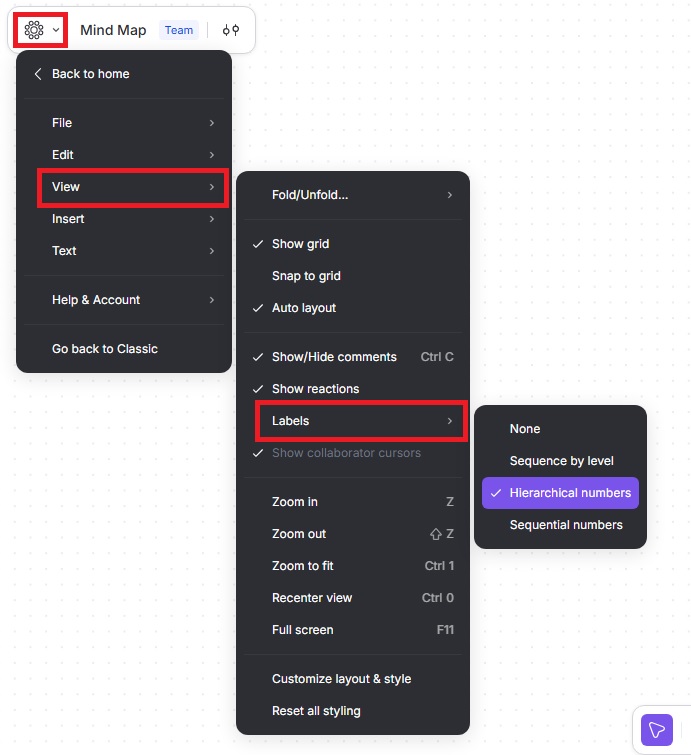
Mindmup lets you label nodes to easily identify and reference elements in your map. You can choose from several labeling styles depending on how you want to organize and track your nodes.
How to Enable Labels
- From the main menu, click View › Labels.
- Choose one of the following options:
- None — No labels are applied.
- Sequence by level — Marks each node with its level and its clockwise ordinal number within that level.
- Hierarchical numbers — Assigns each node a number appended to its parent, making it easy to trace the full path to any node.
- Sequential numbers — Gives each node a unique number without showing levels or hierarchy.
Selecting a label style will immediately show on your map, so you can see how each option looks and choose the one that best fits your workflow.