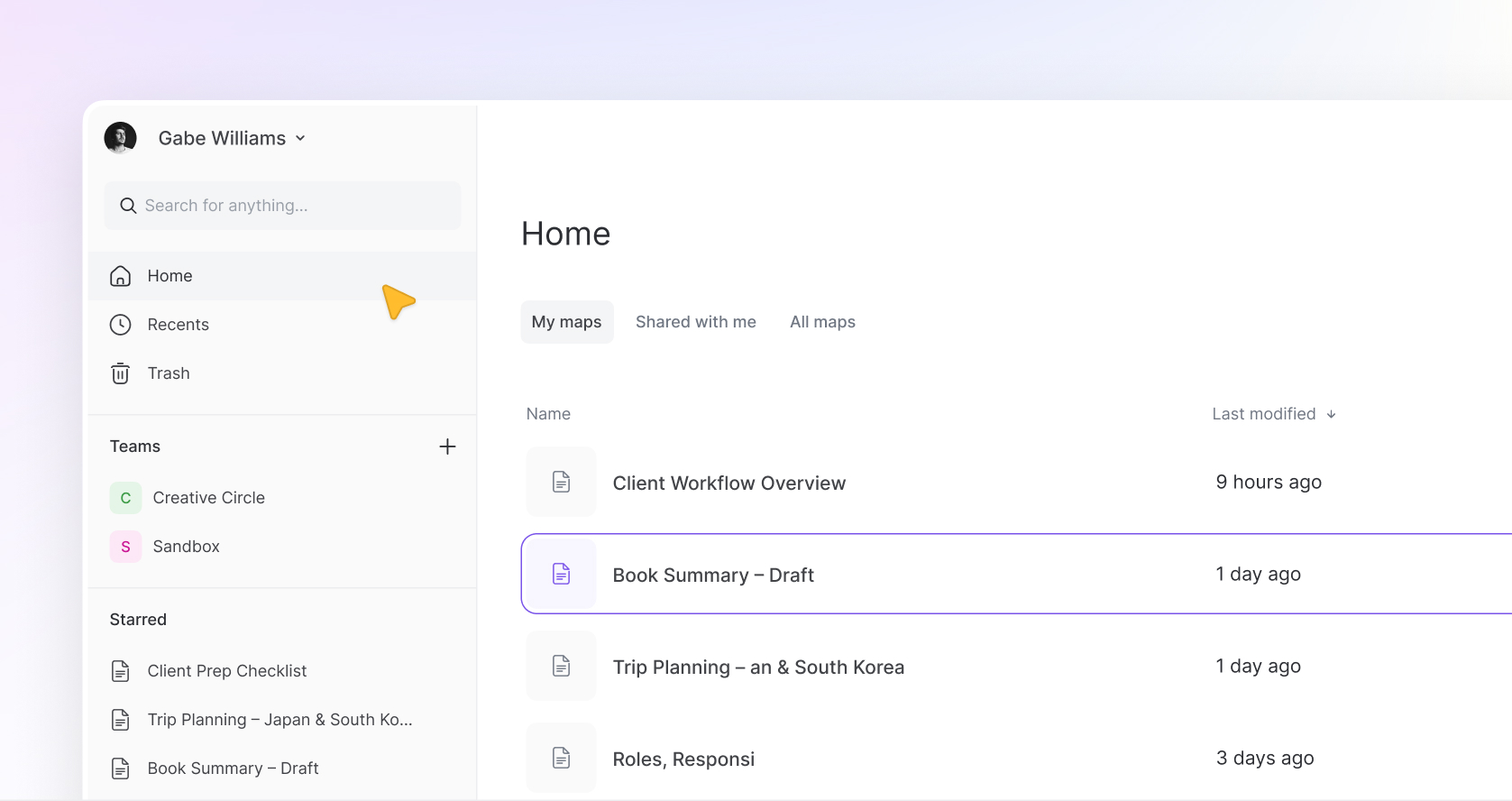
Today marks an important moment for Mindmup.
The migration to Mindmup 3 has officially begun.
Over the coming days, accounts will gradually transition to the new platform as Mindmup 3 becomes the new standard and the legacy version begins to be phased out.
This has been a long time coming. Mindmup had been running on the same foundation for more than a decade, and while it remained reliable and familiar, it was clear the product needed a modern foundation to grow.
Mindmup 3 is that reset.
A Completely New Foundation
Mindmup 3 is not a visual refresh of the old product.
It’s a complete rebuild.
The editor has been redesigned, interactions are smoother, and workflows have been rethought to make the experience feel lighter and more natural. The goal was not to turn Mindmup into a complex productivity platform, but to keep the clarity and simplicity people relied on while modernizing everything around it.
If you’ve used Mindmup before, it should still feel familiar. But the experience should feel faster, calmer, and more intentional.
For a full breakdown of features and a clear pricing comparison, take a look at our complete overview here.
Teams Are Becoming Unified
One of the biggest structural improvements involves Teams (formerly called Groups).
In Mindmup 2, owners and administrators effectively had their own separate team spaces. Each could create teams, and maps inside those teams were only visible to the other person if they were explicitly invited.
In Mindmup 3 this structure is unified.
Owners and administrators now share access to the same teams and see the same maps inside those teams. Teams become a shared workspace with a single source of truth, which makes managing team content much clearer.
For members, nothing changes.
Members still only see the teams they have been invited to and the maps inside those teams. The visibility and privacy model for members remains exactly the same.
IMPORTANT: Because of this new unified structure, administrators and owners should take a moment to review the maps currently stored inside their teams and move any maps that are meant to remain private.
Smarter Map Sharing
Sharing maps with teams also works more intuitively in Mindmup 3.
Previously, sharing a map with a team often required manually setting permissions for individuals.
Now when a map is shared with a team, each member’s access automatically follows their team role. This makes collaboration simpler and reduces the amount of permission management needed.
Some Legacy Features Are Being Retired
As part of the transition, a few legacy features from Mindmup 2 are being discontinued.
Measures, Progress, and Storyboards are being retired. Storyboards will soon be replaced by a new Present Mode, which is designed to allow maps to be shared and presented as structured stories.
We’re also discontinuing Drive-exclusive storage.
Organizations will still be able to export maps to Google Drive or import maps from Drive, and the Mindmup for Google Drive app will continue to work. However, organizations will no longer be able to disable Mindmup cloud storage while continuing to use the Mindmup dashboard with Google Drive as the primary storage location.
The Fishbone map type is also not included in the initial launch of Mindmup 3. Existing Fishbone maps will remain accessible in view-only form. Depending on demand, we may consider reintroducing this map type in the future.
If you rely heavily on Fishbone diagrams, we recommend exporting those maps ahead of time.
Argument maps will be introduced in Mindmup 3 at migration.
New Features Are Being Introduced
To make that shift tangible, here are some of the key improvements now available:
- A fully redesigned editor with smoother, more responsive interactions
- Smart auto layouts that keep maps clean and structured as you build
- A rich-text notes editor for more detailed thinking inside your maps
- More control over styling and customization
- A fully re-engineered Teams experience, now simpler and unified
- Simpler, more intuitive sharing
- Guest Pass, a quick way to share a map without requiring sign-up
What About the Little Things?
We know a lot of what makes Mindmup useful isn’t just the big features. It’s the small details. The shortcuts, the tiny interactions, the things you’ve gotten used to over time.
Most of those are already part of Mindmup 3.
Some are still being finalized and will be carried over in the next couple of weeks as we continue refining the product.
And if we missed something you rely on, let us know. We’ll make sure it’s brought back in a way that fits the new foundation.
Preview Mode During Migration
During the migration period, some accounts may still see both versions of the product.
While this transition completes, Mindmup 3 may appear in preview mode for some users.
Preview mode allows you to explore the new editor and create new maps, but maps created in the legacy version will appear read-only in the new interface until the migration for that account is fully complete.
Editing for those maps will still happen in Mindmup 2 until the transition finishes.
This temporary state will disappear once the migration is complete.
What Happens to Your Maps and Data
Nothing needs to be moved manually.
Your maps, teams, members, and account settings will automatically transition to Mindmup 3 as part of the migration process.
The goal of this transition is simply to move everyone onto the new platform without disrupting the work that has already been built.
Pricing Will Evolve Soon
For the first time in over a decade, Mindmup pricing will also evolve in the coming weeks.
Since the start of Mindmup in 2013, our goal has always been simple: to build the best mind mapping tool at the lowest cost possible. Over time, however, the cost of operating and maintaining the platform has grown significantly, making the original pricing model unsustainable.
We will be introducing a new pricing structure soon and will share clear notices before any changes take effect.
Looking Ahead
Mindmup 3 is only the beginning.
With the new foundation in place, we plan to continue introducing improvements that fit naturally into the product, including:
- Real-time collaboration
- Comments and discussions
- Present Mode
- A desktop application
- Thoughtful AI features designed to support thinking rather than replace it
The goal remains the same as it was when Mindmup first launched.
A calm, simple place to think clearly.
Mindmup 3 gives us the foundation to continue building that for many years to come.