Adding More Styles to Your Mindmup Maps
Mindmup makes it easy to automatically style large maps using the theme editor. You can apply consistent formatting across many levels, even in complex maps.
Styling Deeper Levels
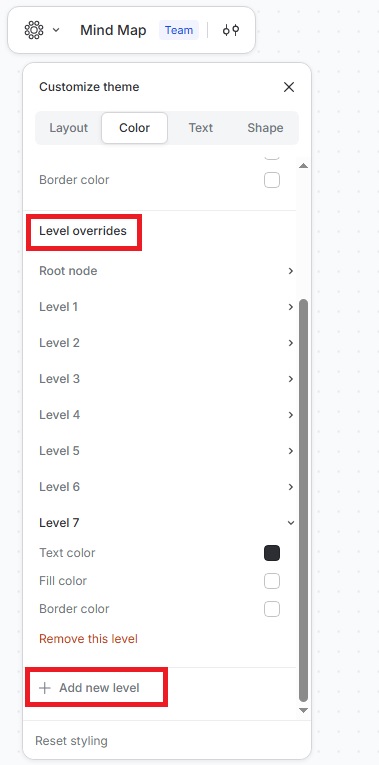
Previously, automatic styling applied only to the root node and the first four levels. You can now add automated styling to deeper levels, giving you more control over large and detailed maps.
How to Add More Styles
- Click the Customise theme icon to open the theme editor.
- Go to Color › Level overrides › Add new level.
- For the new level, change the text color, fill color, and border color.
Repeat these steps to add as many levels as you like in the theme editor, keeping large maps clear and visually consistent.